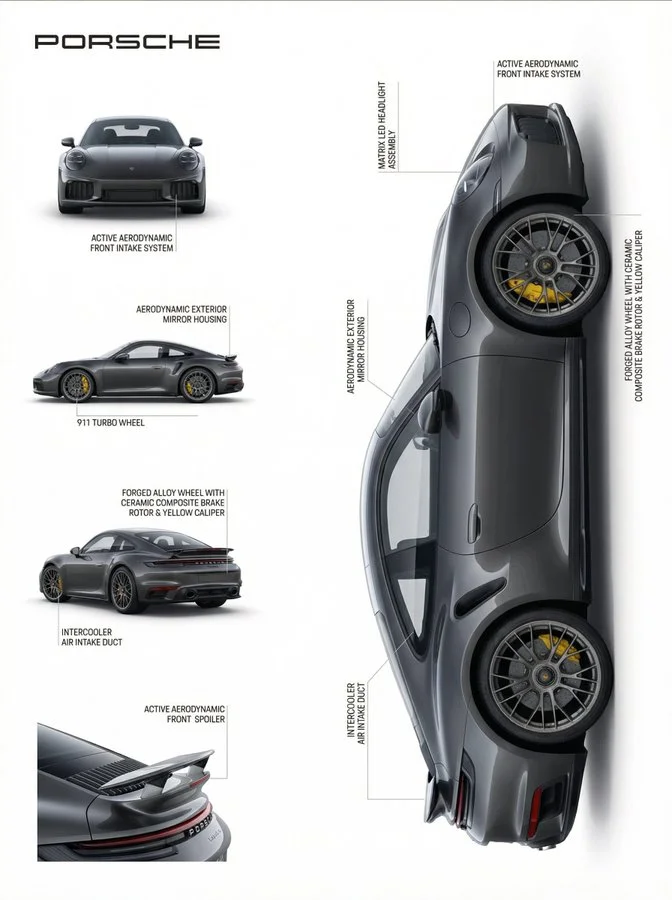
Engineered to matter

{
  "reference": {
    "type": "image",
    "usage": "Use the uploaded image as the sole source of truth. Do not assume product category in advance."
  },
  "scene": {
    "description": "Minimal, premium product presentation layout inspired by high-end industrial design and product documentation.",
    "background": "Pure white, clean, distraction-free"
  },
  "layout": {
    "top_left": {
      "content": "Brand name",
      "style": "Modern sans-serif typography, subtle, elegant"
    },
    "left_column": {
      "content": "Multiple auxiliary product views",
      "views": [
        "Primary front or main view",
        "Secondary side view",
        "Alternate angle or rear view",
        "Detail or top view if applicable"
      ],
      "arrangement": "Vertically stacked, evenly spaced, aligned"
    },
    "right_section": {
      "content": "Main hero product render",
      "style": "Large, dominant, photorealistic",
      "lighting": "Soft studio lighting",
      "materials": "Visually accurate to the uploaded product"
    }
  },
  "annotations": {
    "analysis_phase": [
      "Visually analyze the product to identify distinct physical components",
      "Determine visible materials, surfaces, interfaces, and structures",
      "Ignore assumed internal mechanisms or hidden features"
    ],
    "binding_rules": [
      "Each annotation line must point to one clearly visible component",
      "Each label must describe exactly what that component is and does, based only on visual evidence",
      "No label may rely on the product category for meaning",
      "One line equals one component equals one explanation"
    ],
    "line_style": {
      "type": "Hairline-thin vector lines",
      "color": "Neutral light gray",
      "termination": "Exact contact point on the referenced component"
    },
    "labels": {
      "content_rules": [
        "Use neutral, descriptive nouns (e.g. outer shell, surface panel, joint, opening, interface, edge, enclosure)",
        "Mention material only if visually identifiable",
        "Mention function only if structurally implied",
        "Avoid category-specific terminology unless clearly visible"
      ],
      "placement_rules": [
        "Place text outside the product silhouette",
        "Maintain consistent spacing",
        "Avoid overlaps",
        "Align labels for technical clarity"
      ],
      "tone": "Factual, precise, non-marketing",
      "typography": "Minimal technical sans-serif"
    }
  },
  "visual_style": {
    "aesthetic": "Scandinavian, modern, industrial documentation",
    "mood": "Calm, precise, professional",
    "color_palette": "Neutral and restrained"
  },
  "rendering": {
    "quality": "Ultra-high resolution",
    "shadows": "Soft and realistic",
    "accuracy": "Exact proportions and geometry fidelity"
  },
  "rules": {
    "do_not": [
      "Assume product category",
      "Hallucinate features",
      "Use generic marketing language",
      "Mismatch labels and components",
      "Decorate annotation lines"
    ],
    "focus_on": [
      "Visual truth",
      "Semantic correctness",
      "Component-level understanding",
      "Professional design documentation"
    ]
  }
}