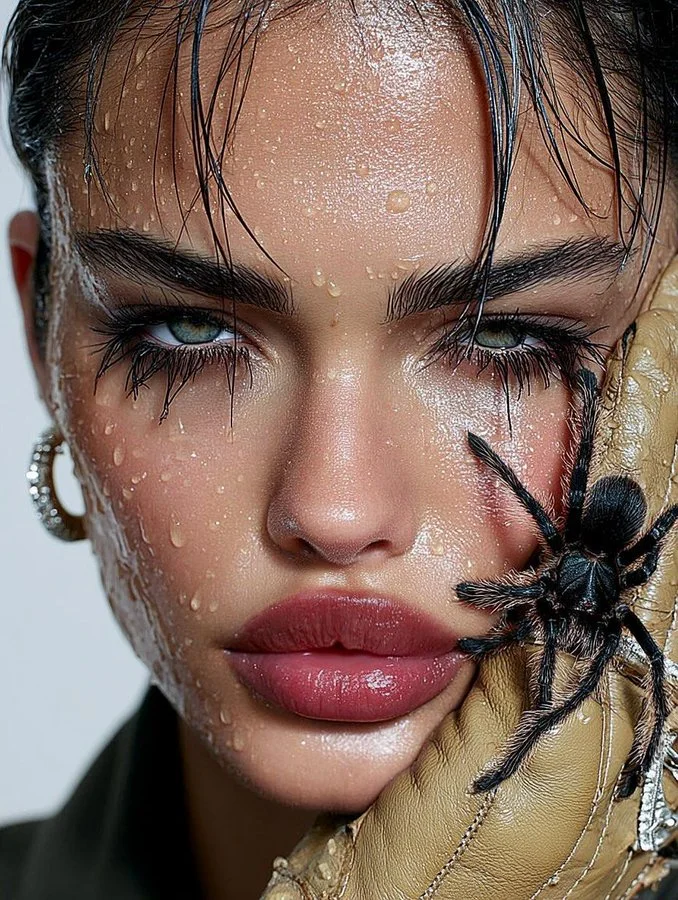
If you open your camera for a close-up portrait… it’s already intense

Ready for a bold high-fashion shot?

• Ultra-Realistic Beauty Concept

{
  "prompt": "Ultra-realistic extreme close-up fashion portrait of a striking young woman with intense green eyes and wet skin covered in water droplets. Dark slicked-back damp hair with natural strands falling across her forehead. Glossy full lips, strong defined brows, dramatic eye makeup slightly smudged by moisture. A large black tarantula spider crawling on her cheek, partially resting on a beige leather glove pressed against her face. One visible metallic hoop earring. High-detail skin texture, cinematic macro photography, shallow depth of field. Studio lighting with soft highlights and sharp contrast. Editorial high-fashion beauty concept with a bold surreal aesthetic. Photorealistic, ultra-sharp focus, luxury magazine style, 8K quality.",
  "style": "cinematic editorial fashion photography",
  "camera": "macro lens, extreme close-up",
  "lighting": "studio lighting, soft highlights, high contrast",
  "focus": "shallow depth of field, ultra-sharp subject",
  "mood": "bold, surreal, high-fashion",
  "quality": "8K, ultra-realistic, photorealistic"
}