Good evening friends

Gemini Promt

Step 1. Open Gemini - Nano-Banana Pro
Step 2. Upload Your reference Images
Step 3. Paste this Prompt and make it yours

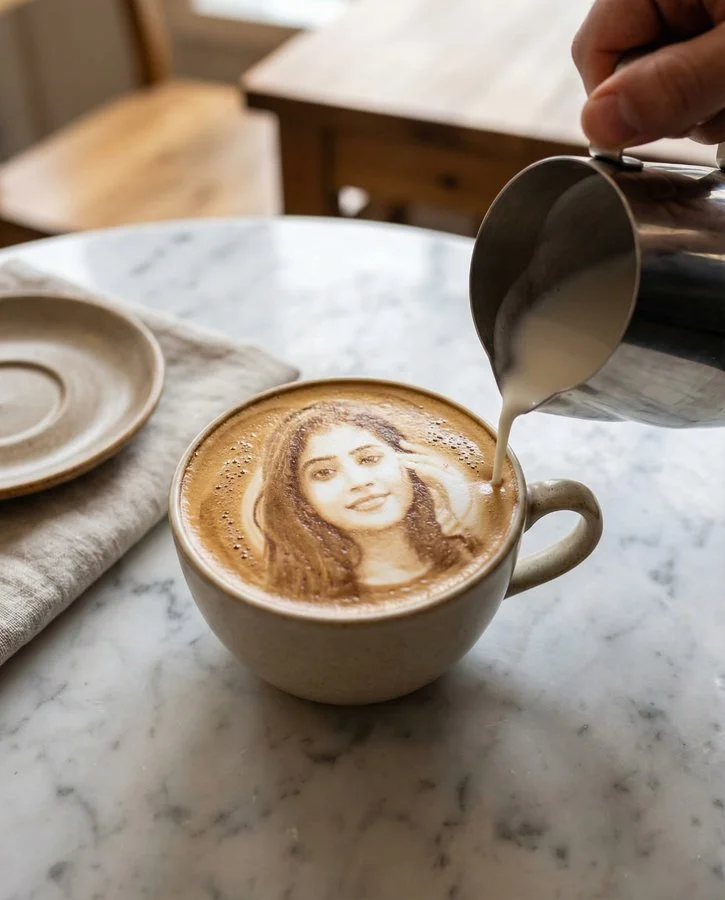
Hyper-realistic latte art portrait at the final stage of pouring.
The reference person’s face is already fully formed in the latte art, created entirely from real milk foam inside a freshly poured cappuccino. A human hand holds a stainless steel milk pitcher slightly to the side of the cup, gently finishing the pour. The milk stream is thin and controlled, touching only the outer edge of the latte, not the face, adding final definition and contrast. The face remains clean, clear, and fully visible.
Milk foam details:
Ultra-real micro-foam texture.
Natural bubbles and crema blending.
Subtle ripples and surface tension typical of professional café latte art.
No illustration or etched look.
Scene:
Ceramic cappuccino cup on an aesthetic marble café table with natural veining.
Rustic Melbourne café vibe.
Warm, diffused natural daylight.
Soft background elements like linen napkin, ceramic saucer, and wood grain, out of focus.
Photography:
Photorealistic café photography.
Shallow depth of field.
Sharp focus on latte art face and cup rim.
Slight motion blur on the milk stream only.
True-to-life colour grading.
High-end DSLR look.
Style constraints:
Real coffee and real milk foam only.
No painted textures.
No stylisation or surreal effects.
No text, no logos, no watermark.
Aspect ratio:
4:5 vertical