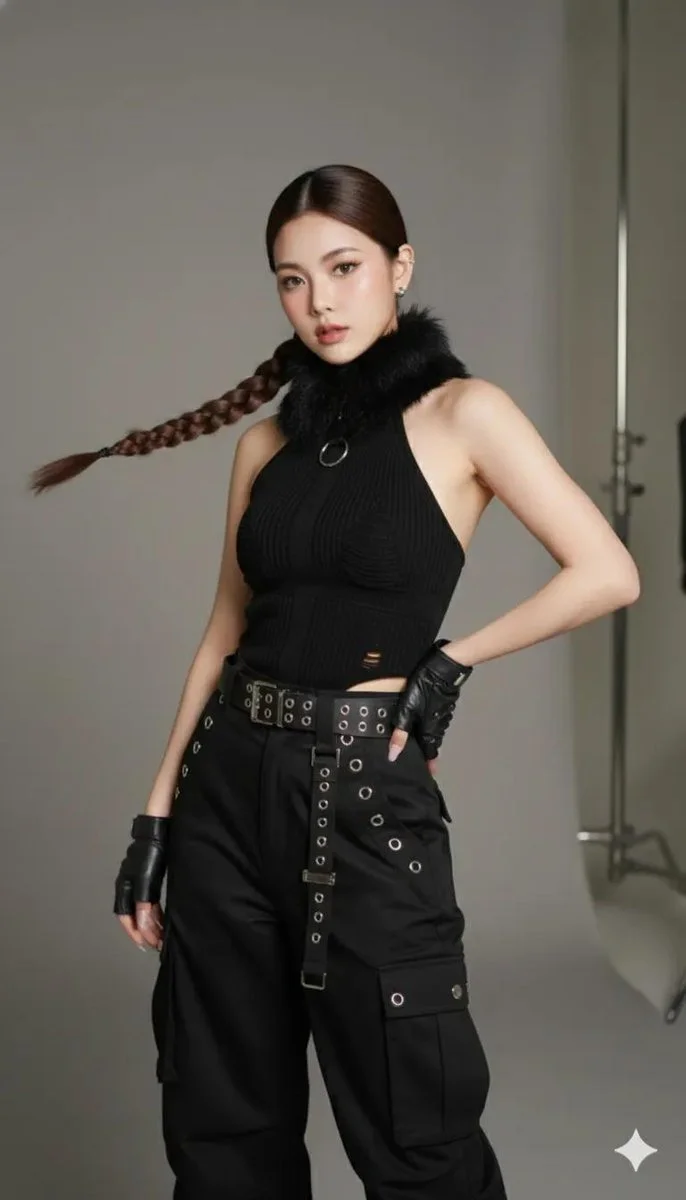
Editorial mode ON.
Confidence speaks before you do.

Did this pose pass the fashion test?

• Studio Fashion Editorial Vibe

{
  "scene": {
    "environment": "clean indoor studio, controlled artificial lighting, neutral studio backdrop",
    "background_details": "visible light stands and grip equipment slightly out of focus on the right side",
    "atmosphere": "clean studio atmosphere, afternoon-equivalent studio ambiance, no weather elements"
  },
  "subject": {
    "pose": "left hand on hip, right arm hanging naturally",
    "framing": "full-body three-quarter portrait framed from mid-thigh up",
    "composition": {
      "rule_of_thirds": true,
      "subject_position": "centered-left",
      "negative_space": "right side with visible studio gear"
    },
    "mood": "modern, confident, slightly rebellious",
    "style": "high-end editorial fashion"
  },
  "camera": {
    "brand_model": "Sony a7R IV",
    "sensor_resolution": "45MP",
    "lens": "85mm prime",
    "focal_length_mm": 85,
    "aperture": "f/1.8",
    "shutter_speed": "1/125 sec",
    "iso": 200,
    "white_balance": "5200K",
    "camera_position": {
      "height": "eye level",
      "tilt": "5-degree tilt to the right"
    },
    "capture_format": "16-bit RAW",
    "depth_of_field": "shallow with smooth bokeh"
  },
  "lighting": {
    "key_light": {
      "type": "softbox",
      "position": "camera-left at 45 degrees",
      "distance_cm": 120,
      "quality": "soft, even wraparound light"
    },
    "fill_light": {
      "type": "reflector",
      "position": "camera-right",
      "purpose": "reduce shadows"
    },
    "rim_light": {
      "type": "small strobe",
      "position": "behind camera-right",
      "purpose": "define silhouette"
    },
    "ambient_light": "diffuse overhead spill",
    "shadow_quality": "soft shadow falloff"
  },
  "styling_textures": {
    "fabric": "matte black fabric",
    "collar": "soft faux fur",
    "belt": "smooth leather",
    "hardware": "brushed metal",
    "skin": "natural skin texture retained",
    "manicure": "muted pale pink, subtle visibility"
  },
  "color_grading": {
    "overall_tone": "warm neutral",
    "blacks": "slightly cooled",
    "skin_tones": "preserved and natural",
    "contrast": "medium"
  },
  "post_processing": {
    "clarity": "selective clarity on clothing textures",
    "dodge_burn": "gentle dodge and burn to sculpt arms and torso",
    "film_grain": {
      "amount": 0.8,
      "purpose": "organic texture"
    },
    "lens_corrections": true,
    "chromatic_aberration": "removed",
    "retouching": "natural skin retouching, no over-smoothing",
    "vignette": "subtle",
    "sharpening": {
      "radius_px": 1.0
    }
  },
  "output": {
    "resolution": "8K equivalent",
    "use_case": "high-end fashion editorial",
    "print_ready": true,
    "color_profile": "ProPhoto RGB",
    "archival_quality": true
  }
}
Detected placeholders
{
      "radius_px": 1.0
    }