Gemini Nano Banana Pro

Prompt:
{
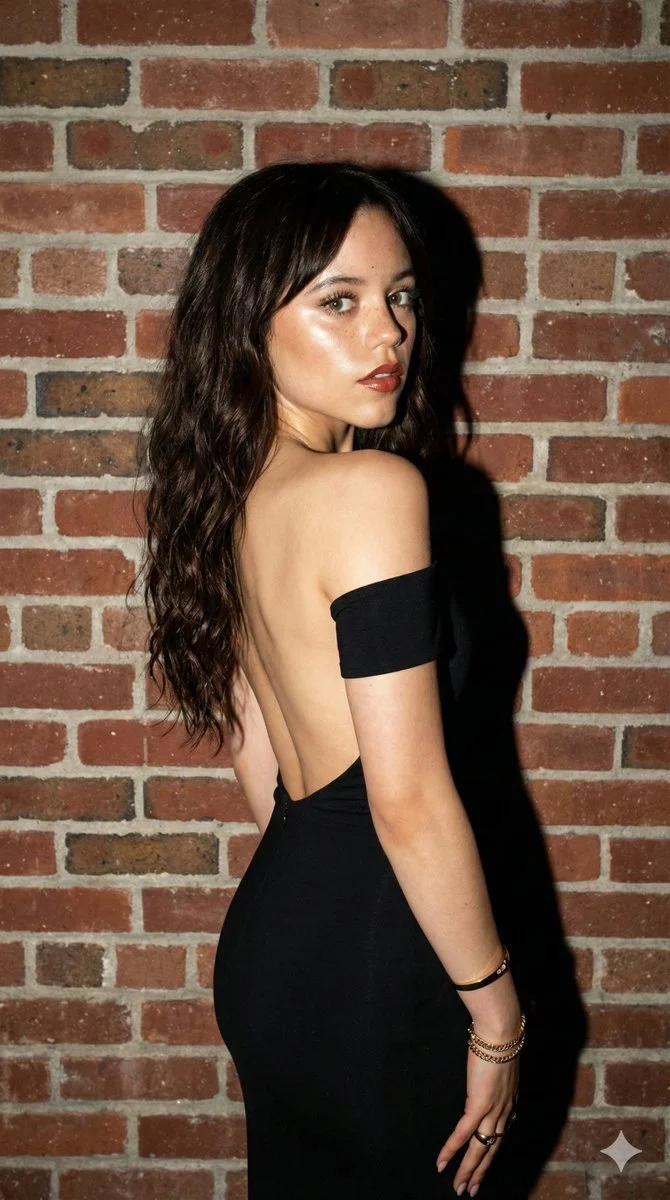
  "subject": {
    "description": "Jenna Ortega, fit physique, looking back over left shoulder towards the camera.",
    "hair": "Long, dark brown, straight to slightly wavy hair, parted in the middle, falling over the back.",
    "face": "Light complexion with prominent natural freckles on cheeks and nose. Light hazel-green eyes with defined lashes. High-gloss, dewy skin finish (glass skin) with visible pores and texture. Glossy brownish-red lipstick. Sharp jawline.",
    "skin_texture": "Hyper-realistic skin texture, visible pores, natural skin imperfections, freckles on face and shoulder, high specular highlights from flash."
  },
  "clothing": {
    "outfit": "Black form-fitting dress, backless design with a single off-the-shoulder strap visible on the left arm. Sleek, matte fabric.",
    "accessories": "Gold bangle bracelet, layered gold chain bracelets on left wrist, gold rings on fingers."
  },
  "environment": {
    "setting": "Indoor setting against a textured, exposed red and brown brick wall.",
    "background_details": "Razor-sharp details on the brickwork and mortar. No blur. Distinct, hard shadow of the subject cast directly onto the wall behind her.",
    "mood": "Edgy, nightlife, candid celebrity snapshot style, confident."
  },
  "lighting": {
    "type": "Hard, direct on-camera flash.",
    "qualities": "High contrast, harsh shadows, bright specular highlights on the cheekbones, forehead, and shoulder. Cool-neutral color temperature.",
    "shadows": "Sharp, defined shadow cast on the brick wall immediately behind the subject."
  },
  "camera_gear": {
    "style": "Flash photography / Paparazzi style.",
    "lens": "35mm or 50mm prime lens.",
    "settings": "Aperture f/8 to f/11 (to maintain sharpness on both subject and wall), ISO 100, Shutter Speed 1/200s.",
    "sensor": "Full-frame high-resolution digital sensor (e.g., Sony A7R or similar)."
  },
  "technical_specs": [
    "8K Ultra HD",
    "RAW photograph",
    "Uncompressed",
    "Hyper-realistic",
    "Sharp focus edge-to-edge",
    "Deep depth of field",
    "No bokeh",
    "Highly detailed textures"
  ],
  "negative_prompt": [
    "blur",
    "bokeh",
    "out of focus background",
    "haze",
    "soft focus",
    "airbrushed skin",
    "cartoon",
    "3d render",
    "illustration",
    "distorted fingers",
    "low resolution",
    "grainy"
  ]
}