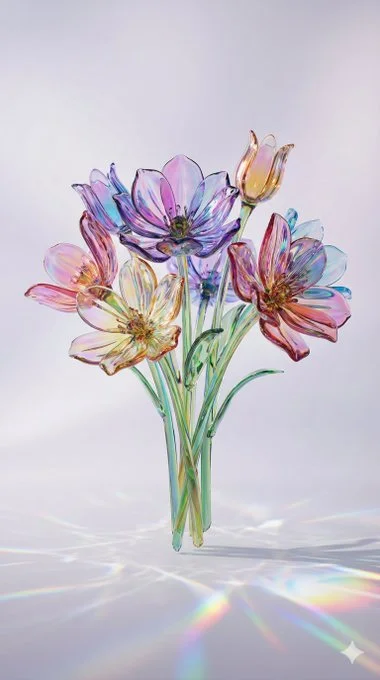
Photorealistic Image featuring Unreal Engine - Minimalist
Unknown1:1

Photorealistic Image featuring Unreal Engine - Minimalist

Photorealistic Image featuring Unreal Engine - Minimalist, shaped around photorealistic and cinematic art direction.

#photorealistic#cinematic#macro#game-engine#high-quality

Best used for

Use as a creative starting point, then adapt the subject, composition, style, and constraints to your brief.

Created by

Prompt Bookmarks @promptbookmarks Original source: x.com

The prompt

Copy it.
Then make it yours.

{
  "project_metadata": {
    "project_name": "Adaptive_Glass_Render_v2",
    "description": "Generates hyper-realistic, translucent colored glass objects with adaptive lighting and physics based on a core subject input."
  },
  "settings": {
    "aspect_ratio": "--ar 9:16"
    "stylize_value": "--stylize 300"
  },
  "prompt_components": {
    "subject_input": "[YOUR SUBJECT HERE]",
    "material_core": "made of translucent colored glass, blown glass texture, glossy crystal finish, vibrant transparency",
    "optic_physics": "chromatic aberration, light refraction, caustic lighting effects, subsurface scattering, prismatic color dispersion",
    "adaptive_environment": "soft studio lighting matching the subject's mood, minimalist background, ethereal atmosphere",
    "color_grading": "gradient hues, vivid saturation, glass dispersion colors",
    "rendering_style": "Unreal Engine 5 render, 8k resolution, hyper-detailed, macro photography style"
  },
  "instructions": {
    "step_1": "Replace the placeholder in 'subject_input' with your desired object or an image URL (e.g., 'A roaring tiger made of glass').",
    "step_2": "Adjust 'aspect_ratio' in settings if needed (e.g., change '--ar 9:16' to '--ar 16:9' for cinematic).",
    "step_3": "Concatenate all values from 'prompt_components' followed by the values from 'settings' to automatically generate the final prompt."
  }
}

Detected placeholders

[YOUR SUBJECT HERE]

Refinement notes

Three useful ways to customize it

01

Subject and action

Replace the central subject first, then adjust its pose, action, expression, or relationship to the scene.

02

Composition and light

Change the viewpoint, crop, negative space, light direction, and contrast before layering on more style words.

03

Output shape

The saved reference uses 1:1. Change the aspect ratio to match the final placement before refining small details.