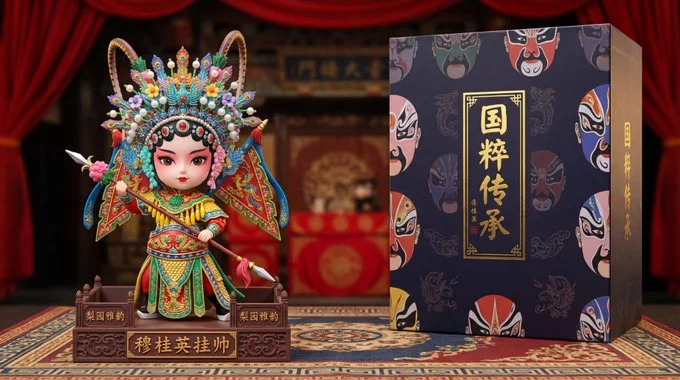
National essence opera custom figure - Mu Guiying Takes Command

Nano banana pro prompt:
Based on the character features in the reference image, design the "Peking Opera Flower Dan · Mu Guiying" national essence opera series custom figure. Q-version the character while retaining her heroic spirit, dressed in Peking Opera Flower Dan costume, wearing an ornate diancui phoenix crown on her head, adorned with various colorful feathers and beaded flowers, with exquisite Peking Opera Flower Dan makeup on her face (willow-leaf eyebrows, peach blossom blush, and dotted red lips). Wearing a modified armor costume embroidered with dragon and phoenix patterns, holding a flower spear, striking a classic Peking Opera debut pose. The base is designed as a stage shape, with traditional stage carpet patterns on the platform surface, and the sides engraved with the words "Pear Garden Elegance" and "Mu Guiying Takes Command." The color scheme uses the gorgeous tones of Peking Opera costumes: bright red, bright yellow, emerald green, gold thread, and gemstone blue. The figure height is 15cm, with a background of a blurred ancient stage and red curtain, accompanied by a opera-themed packaging box, with Peking Opera facial makeup patterns and "National Essence Inheritance" gold-embossed text on the box surface, product photography, rich in opera charm.