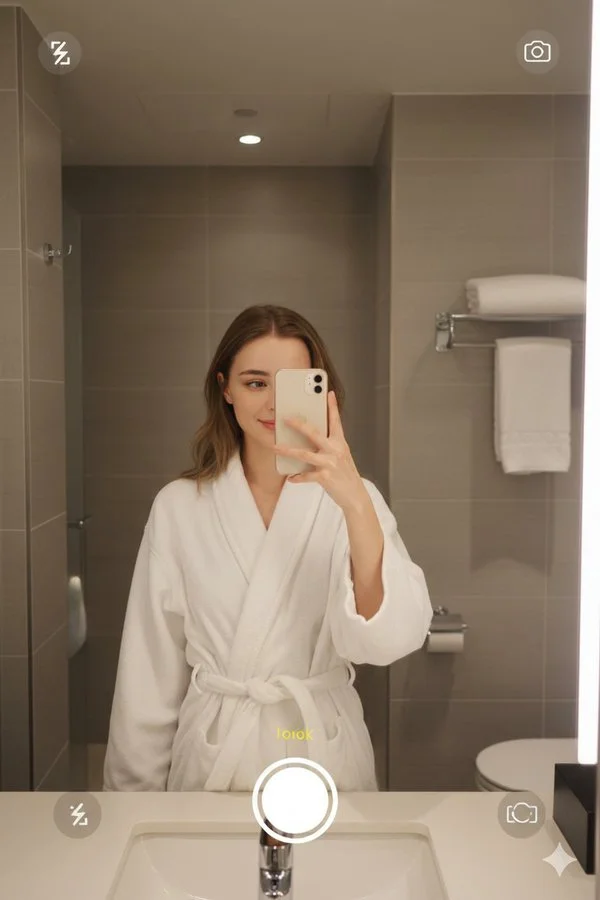
Nano banana Pro on Gemini app.

{
  "image_generation": {
    "face": {
      "preserve_original": true,
      "reference_match": true,
      "description": "Preserve the same facial features, light makeup, natural skin tone, and calm expression from the reference image."
    },

    "photo_style": {
      "type": "mirror selfie photography",
      "camera": "smartphone camera",
      "mode": "photo mode with visible camera UI elements",
      "lighting": "warm indoor bathroom lighting",
      "mood": "relaxed, cozy, intimate",
      "texture": "natural skin texture, soft highlights, slight grain",
      "focus": "sharp focus on subject with realistic reflections"
    },

    "subject": {
      "pose": "standing in front of a bathroom mirror, holding a smartphone with one hand to take a selfie",
      "expression": "soft smile, calm and relaxed",
      "hair": {
        "style": "loose, slightly styled hair",
        "color": "light brown or blonde"
      },
      "clothing": {
        "type": "loungewear",
        "details": "white bathrobe tied at the waist"
      }
    },

    "environment": {
      "setting": "modern bathroom",
      "background": "tiled walls, sink countertop, mirror, towel holder, bathroom fixtures",
      "atmosphere": "clean, warm, hotel-style bathroom ambiance"
    },

    "composition": {
      "framing": "vertical portrait orientation",
      "layers": "smartphone frame and camera interface visible around the image",
      "perspective": "reflection through mirror with phone partially covering the face"
    },

    "aesthetic": {
      "style": "realistic lifestyle photography",
      "features": [
        "mirror selfie look",
        "bathrobe aesthetic",
        "warm indoor tones",
        "mobile camera UI overlay",
        "casual, authentic moment"
      ]
    }
  }
}