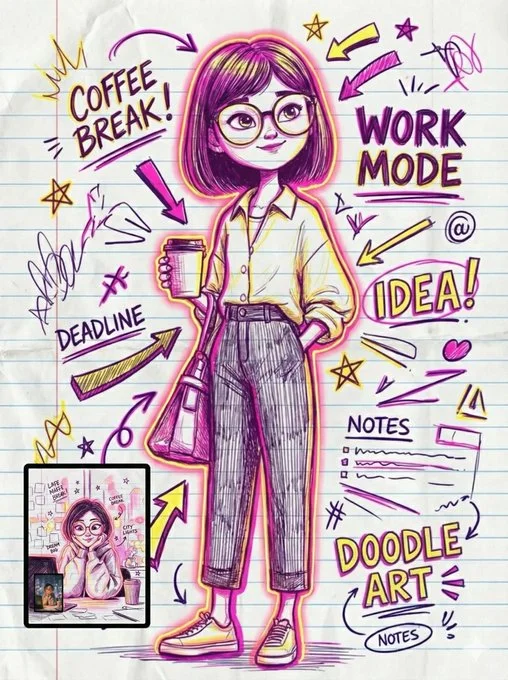
Text Animation on Gemini Nano Banana 3.0

Prompt:

{
  "image_generation_task": {
    "task_type": "img2img",
    "input_source": "uploaded_user_image",
    "constraint": "preserve_full_likeness",

    "base_configuration": {
      "medium": {
        "substrate": "lined notebook paper",
        "tools": ["ballpoint pen", "neon markers", "ink"],
        "texture_details": [
          "realistic ink absorption",
          "layered pen pressure",
          "stained edges",
          "smudges",
          "subtle paper wrinkles"
        ]
      },
      "art_style": {
        "genre": ["doodle art", "comic annotations", "sketch"],
        "line_work": "thick-thin variation, loose freestyle, messy strokes, dynamic hatch shading",
        "atmosphere": "chaotic, energetic, spontaneous, dense"
      },
      "rendering": {
        "resolution": "4K",
        "detail_level": "high",
        "lighting": "bold outer glow, vibrant contrast"
      }
    },

    "composition_elements": {
      "framing": "portrait with thick border line around head",
      "surrounding_elements": [
        "messy arrows",
        "stars",
        "underlines",
        "random scribbles",
        "speech bubbles",
        "overlapping annotations",
        "checkboxes"
      ],
      "iconography": [
        "lightning bolt",
        "lightbulb",
        "music note",
        "mini self-caricature"
      ],
      "typography": {
        "style": "handwritten comic notes",
        "sound_effects": ["ZAP!", "WHOOSH!"]
      }
    },

    "style_variations": [
      {
        "id": "variant_01_pop_bold",
        "color_palette": ["bold cyan", "magenta"],
        "specific_vibe": "vibrant pop, stylish comic notes"
      },
      {
        "id": "variant_02_neon_highlight",
        "color_palette": ["neon pink", "neon yellow"],
        "specific_vibe": "highlighter aesthetic, expressive gestures"
      },
      {
        "id": "variant_03_electric_graffiti",
        "color_palette": ["hot electric blue", "neon red"],
        "specific_vibe": "graffiti-styled, exaggerated outline, playful highlights"
      },
      {
        "id": "variant_04_dense_sketch",
        "color_palette": ["blue linework", "red accents"],
        "specific_vibe": "densely packed, horror vacui (no blank space), alive and messy"
      }
    ]
  }
}
Detected placeholders
["ballpoint pen", "neon markers", "ink"]["doodle art", "comic annotations", "sketch"]["ZAP!", "WHOOSH!"]["bold cyan", "magenta"]["neon pink", "neon yellow"]["hot electric blue", "neon red"]["blue linework", "red accents"]