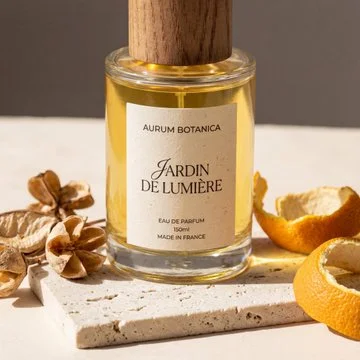
nano banana pro cost saving trick for product photography. instead of burning credits for experimenting one image at a time. show it an example, ask for a 6x6 grid, pick your favorite

prompt (for different and similar mood and quality): Generate a 6x6 grid of professional product photography. Reference the original image's mood, quality, and aesthetic. Each cell should showcase a completely different product (bags, bottles, hats, cosmetics, jewelry, food, electronics, etc.) in a unique studio setting with a distinct color palette. Maintain the same high-end commercial photography style throughout. Vary the products, lighting, backgrounds, props, and styling dramatically across all 36 images.

prompt (for balanced diversity):
Generate a 6x6 grid of variations based on the original image. Keep the same product but vary the color palettes, backgrounds, lighting, angles, props, and styling dramatically across all 36 cells. Maintain the same professional quality and aesthetic throughout.

prompt (for maximum diversity):
Generate a 6x6 grid showing 36 unique variations of this product. Experiment wildly with color palettes, environments (studio, lifestyle, minimal, textured backgrounds), lighting styles, compositions, and moods. Keep product recognition and professional quality consistent, but make each cell visually distinct.